

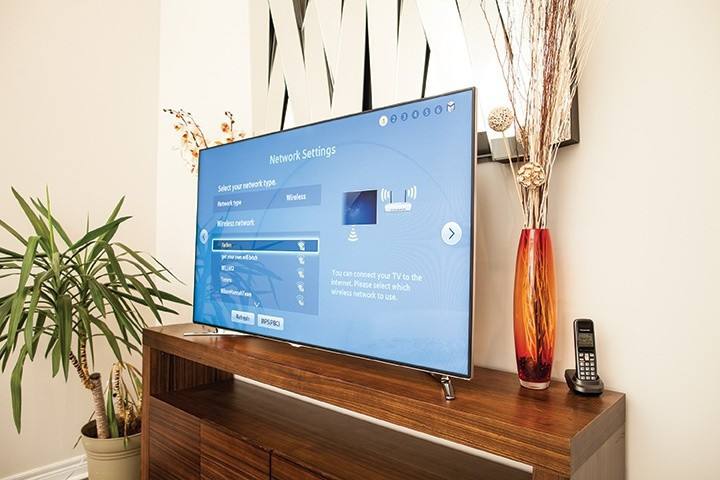
A recent how-to from Tom’s Guide reports that the majority of smart televisions include a built-in microphone—primarily intended for voice search and assistant features—but one that may continue listening unless it’s physically or digitally disabled. According to their article, manufacturers often bury the mic-toggle behind settings menus (or include a hidden physical switch) which most users never see, raising significant privacy concerns. Tom’s Guide points out that the mic may sit in a bottom edge on certain models and that disabling it can be done via hardware or software. Support documentation from Samsung confirms the presence of a dedicated microphone switch on many of its Smart TVs and offers a step-by-step guide for turning the mic on or off. Meanwhile, consumer-advocacy outlets such as Consumer Reports and technology reviewers outline broader risks tied to smart-TV data collection—such as Automatic Content Recognition (ACR) and voice capture—and offer detailed instructions for disabling the features and opting out of data collection. Together, these sources suggest that your TV may be listening more than you realize, but offer practical ways to reclaim control.
Sources: Tom’s Guide, Samsung
Key Takeaways
– Smart TVs often include built-in microphones even if you never activated voice search, so you should assume a listening device may be present.
– Disabling the microphone can usually be done either via a physical switch on the TV itself or by navigating through the settings menu (general/privacy/voice / microphone).
– For maximal privacy, you should also disable features like ACR (Automatic Content Recognition) and internet connectivity on the TV—or opt for an older “dumb” TV—since voice controls are just one angle of data collection.
In-Depth
It’s a classic scenario: you buy a new “smart” TV, plug it in, sign in to your streaming accounts, maybe say “OK Google” or “Alexa” into the remote a few times, and then you forget about the device. But behind the scenes, your television may be doing far more than showing movies. As the Tom’s Guide article explains, most current smart TVs house a microphone that allows voice commands, but that same mic may remain active—listening for wake words or simply collecting “voice data” for manufacturers’ analytics. The story is reinforced by the manual from Samsung, which clearly states many of its TVs have a physical mic switch on the bottom edge. If that switch is left in the “on” position (or if you never navigated through the settings to disable the mic), the TV remains capable of capturing voice input whether or not you’re aware of it.
Why the built-in microphone? Manufacturers love voice capability: it drives convenience, upsells features, and gives them access to richer user data (when you say “find action movies” or “what’s the weather?”). But from a conservative viewpoint—emphasizing individual rights and privacy—this raises alarm bells. If your TV can listen, it can also be used (intentionally or unintentionally) for surveillance or harvesting behavioural data. Consumer Reports and other outlets warn that the mic is only one vulnerability; smart TVs also collect viewing habits via ACR, track usage, and connect to the internet where data gets shared or sold. Worse, many users remain unaware the TV is doing this in the first place.
So what can you do about it? First, scan your TV’s physical edges and look for a labelled “Built-in MIC” switch, especially if it’s a model from major brands like Samsung or LG. Flip it off if present. If not, dive into the settings menu: hit Home or Settings, head to General/Privacy/System or Voice Recognition settings, and turn off “Voice Assistant”, “Microphone”, “Voice Recognition” or equivalent. For example, Samsung’s support page shows exactly where to go. Beyond the mic, disable data-collection features—turn off ACR, opt out of “viewing data” or “usage analytics”, set “interest-based ads” to off, and if you’re really committed, disconnect the TV from WiFi or Ethernet altogether and use an external streaming box for online content.
From a personal-liberty standpoint, it’s worth noting that convenience comes with cost. A smart TV that tracks your voice and viewing habits becomes another node in the network of data brokers and advertisers. Many consumers are unknowingly giving away their privacy in exchange for “smart” features. If you rarely use voice control, you might decide that privacy is worth missing a “find this show” command.
In real-world terms: spend 5-10 minutes in your TV’s settings right now. Locate any microphone toggle or voice-assistant menu and disable it. Then dig further to disable viewing logs or analytics. If your TV lacks a physical mic switch and you’re really uneasy, consider choosing a more traditional TV panel with an external streaming device you control.
In short: yes, the TV in your living room likely has a microphone. But with a little effort you can regain control and ensure that when you’re speaking in your home, the only things listening are the people you invite, not the manufacturer.