

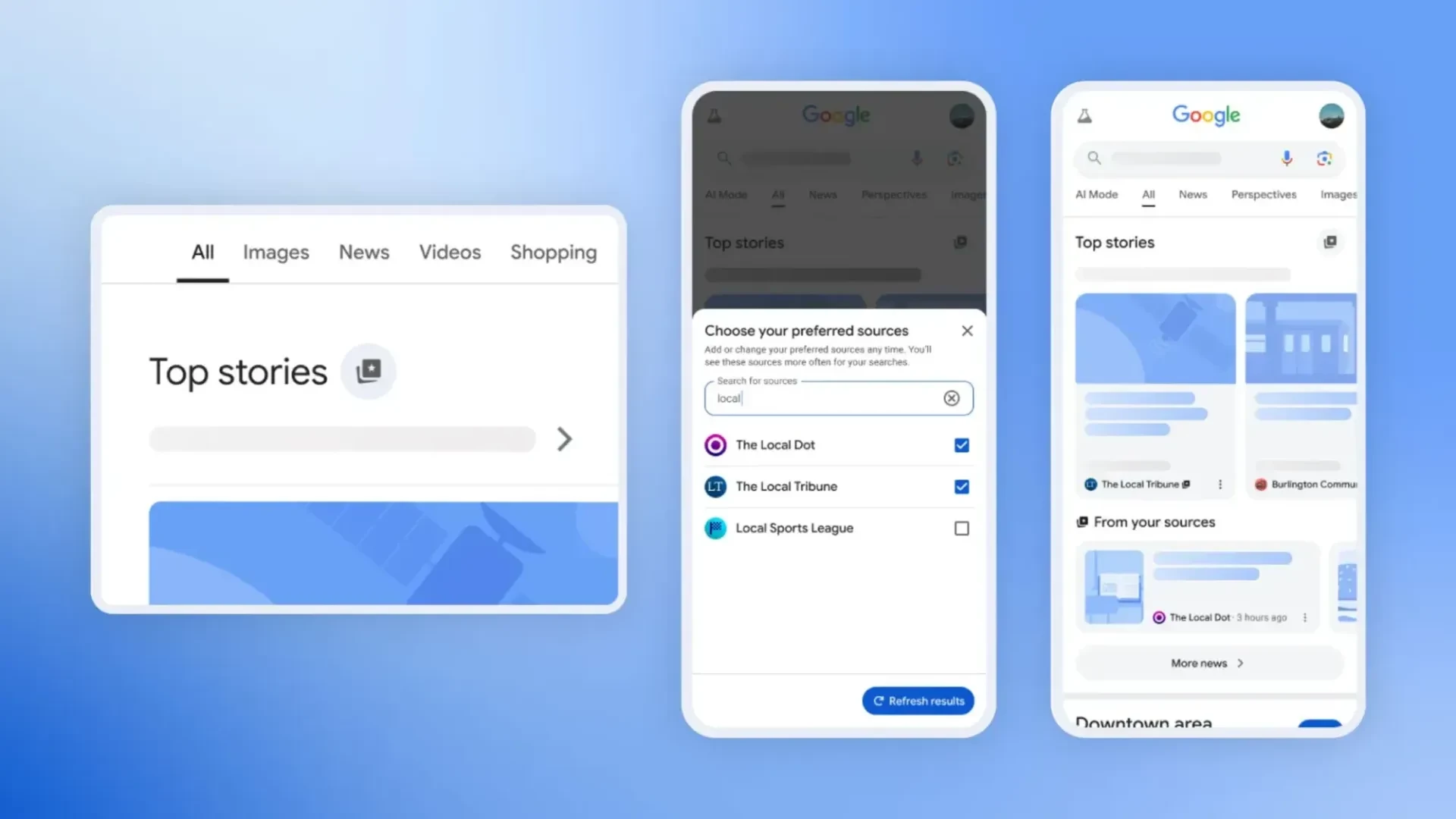
In a move giving users more agency over what shows up in their search results, Google has introduced a feature called “Preferred Sources,” currently rolling out in the U.S. and India. When users search for news topics, a star-shaped icon next to the “Top Stories” section lets them choose the outlets they’d most like to see. Once selected, these preferred news sites appear more prominently—either within “Top Stories” or in a new “From your sources” section—though other sources still appear. Preferences can be managed anytime, and settings from Google Labs testing carry over automatically.
Sources: The Verge, Android Central, Tom’s Guide
Key Takeaways
– Greater personalization: You can tailor your newsfeed by promoting the sites you trust most.
– Balanced exposure: While your preferred outlets take priority, Google maintains variety by still including other sources.
– Convenience across devices: The feature works across platforms and browsers (Chrome, Edge, Firefox), and Labs users see their preferences preserved.
In-Depth
Google’s launch of the Preferred Sources feature marks a thoughtful step toward enhancing user experience—and doing so with control and calm purpose. In practice, this tool lets individuals slightly shift the guardrail on what they see, especially when news is involved. Just search for any timely topic, spot the star next to “Top Stories,” and choose your trusted outlets. Refresh the page, and those publications will be served up more often.
It’s a modest form of personalization that doesn’t erase Google’s algorithm—but rather quietly nudges your preferences to the front. Importantly, Google still reserves space for other perspectives, which keeps the information flow from becoming too narrowly curated. This balance—letting trusted voices stand out without building a wall around your view—reflects a sensible approach to modern browsing.
Plus, for those who’ve already tried this feature in Google Labs, the transition is seamless: all your picks carry over. And technically, you’re not tethered to one device or browser—whether you’re on Chrome, Edge, or Firefox on Windows or Mac, the experience remains consistent and user-friendly. It’s a straightforward tool—no dramatics, no flash crowds—just a little extra say in how you stay informed.