

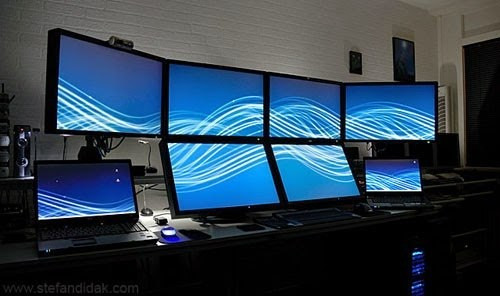
Microsoft has begun rolling out a widely requested feature in Windows 11: the ability to open the Notification Center from non-primary (secondary) monitors. Until now, users with multiple displays had to drag their cursor back to the main monitor to access notifications or the calendar. This change comes as part of update KB5065789, in the September 2025 non-security preview, and it restores parity in taskbar interactivity across screens. In addition to that, the update brings enhancements like a full clock with seconds in the Notification Center, new AI actions in File Explorer, and more customizable on-screen hardware indicators. The feature had already been tested in Insider builds such as 26200.5722 and was based largely on user feedback and frustration with the earlier limitations.
Sources: Windows Latest, Windows Central
Key Takeaways
– Multi-monitor support gets a boost: users can now click the date/time area in the taskbar on any connected display to open the Notification Center, not just on the primary screen.
– The update reintroduces a full clock (showing seconds) into the Notification Center, harking back to functionality users liked from Windows 10.
– KB5065789 also includes other refinements: adding AI actions to File Explorer, allowing repositioning of on-screen indicators, and improved context-menu performance.
In-Depth
If you’ve ever used a multi-monitor setup on Windows 11, you might’ve hit a frustrating limitation: the system tray on secondary displays showed the time and date, but clicking it did nothing. For years, to access notifications or the calendar, you had to drag your mouse cursor all the way back to the primary monitor. It was a small annoyance, true, but for productivity users and power users alike, it was a glaring omission. Now, Microsoft is finally addressing it.
The change comes via the September 2025 update package KB5065789, currently distributed as a non-security preview for Windows 11 version 24H2, and expected to carry forward into 25H2. As part of that, Microsoft has enabled users to open the Notification Center from any connected display by clicking the taskbar’s date/time area. The update also reintroduces the ability to show a full clock (with seconds) within the Notification Center flyout—something many users nostalgic for Windows 10 appreciated.
This wasn’t just a last-minute addition; Microsoft had already seeded the feature into its Insider Preview builds. For example, build 26200.5722 made the functionality available to Dev/Beta users, along with the calendar flyout and additional clock controls. The Insider blog explicitly described extending Notification Center across displays, including the ability to see calendar and clock on whichever screen you click.
Beyond that, KB5065789 delivers a host of other small but meaningful tweaks: the update adds “AI Actions” to File Explorer’s right-click menu (offering image editing, visual search, etc.), permits repositioning the on-screen hardware indicators (volume, brightness popups) to different corners or centers, and claims performance improvements in loading context menus in cluttered folders.
From a user-experience perspective, this rollout suggests Microsoft is gradually restoring or recovering some functionality that was lost or limited when Windows 11 first launched. The multi-monitor fix directly addresses one of the more consistent complaints about taskbar behavior, particularly for people working with multiple screens all day. While the change is not revolutionary, it is meaningful because it removes an unnecessary friction point.
That said, the feature’s availability is being rolled out incrementally. Not every device will see it immediately, depending on update policies or compatibility holds. But ultimately, for users with two or more monitors, this is a welcomed improvement to workflow and system consistency.