

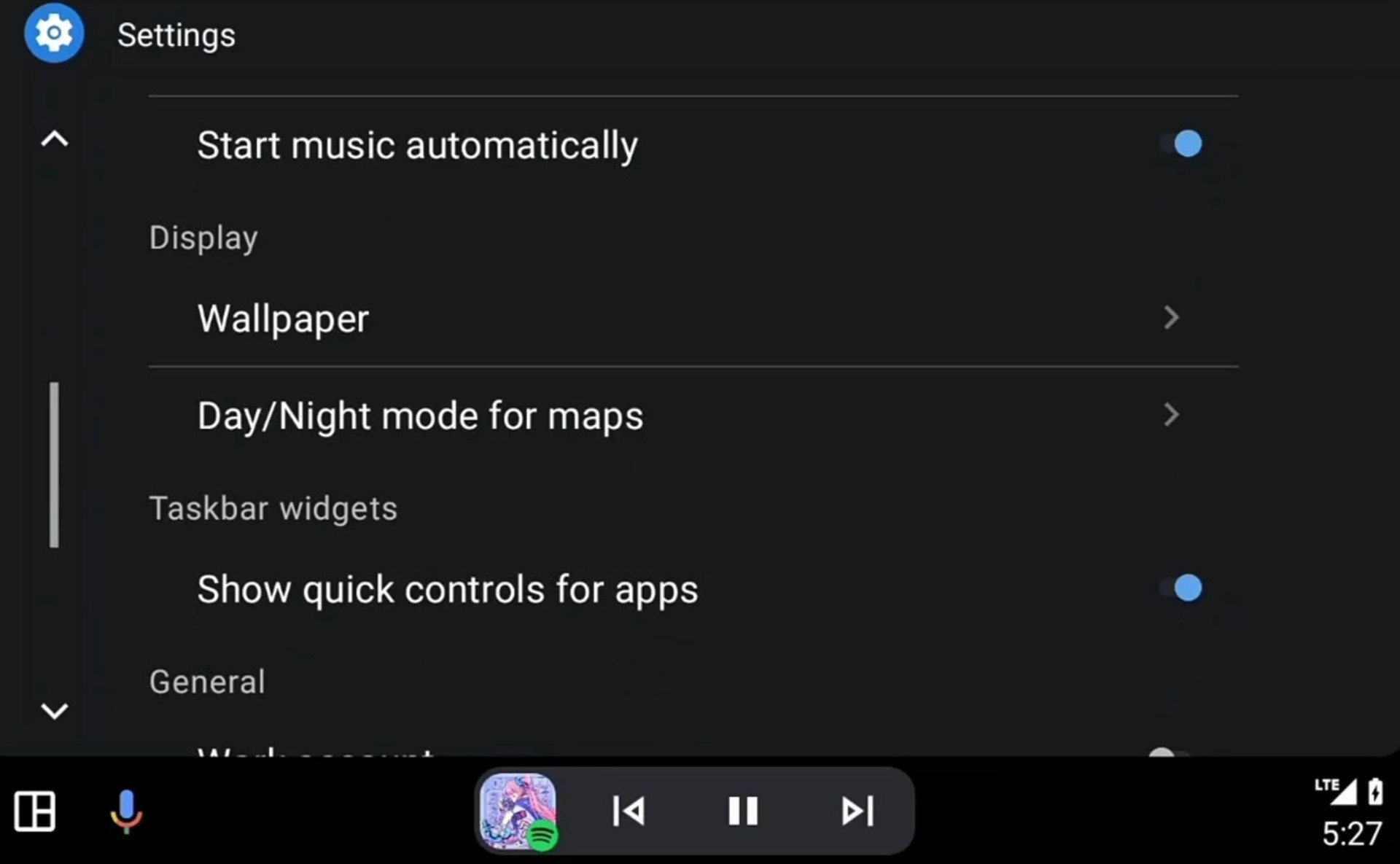
In the latest Android Auto update (version 15.2), many users are reporting that the “Quick Controls” widget—long valued for allowing media and navigation shortcuts while using other apps—has become nonfunctional on certain devices. Reports from tech news outlets indicate that this issue seems tied to displays with vertical taskbars: toggling the setting no longer forces the taskbar to shift to the bottom, and the widget simply doesn’t appear. The bug (or potential intentional change) has been documented by 9to5Google, Android Authority, and TechRadar, with further amplification on Reddit and Google support forums. Google has not issued a clear statement confirming whether this is a deliberate removal or a regression bug, though some coverage speculates that the inconsistency of behavior across screen layouts suggests a rollout or regression error rather than a full feature retirement.
Sources: Android Authority, 9to5 Google
Key Takeaways
– Android Auto version 15.2 appears to break the Quick Controls widget for users with vertical taskbar layouts, making the toggle inert and the widget disappear.
– The feature still works under certain horizontal display configurations, implying the issue may be layout-specific rather than a universal removal.
– Google has not confirmed whether this is a bug or intentional, leaving users to rely on workarounds and monitoring future updates.
In-Depth
The Quick Controls widget has long been a convenient feature in Android Auto, giving drivers swift access to media and navigation shortcuts even while using another app. It sits in the taskbar or bottom bar and helps minimize distractions when switching between music and maps. With the rollout of Android Auto 15.2, many users are discovering that this convenience is slipping away—at least for certain display configurations.
According to 9to5Google, a surge in reports from Reddit and Google’s support forums reveals that when the taskbar is oriented vertically (such as along the side of a taller or portrait-style display), toggling Quick Controls no longer forces the bar to shift to the bottom; the toggle simply “does nothing.” What’s more, Android Authority notes that after the update, the Quick Controls option in settings may still appear, but activating it no longer restores the widget. Android Authority describes this as “breaking” the feature. The widget still appears in some cases where the display is horizontal (i.e., a landscape layout), which suggests the fault isn’t all-or-nothing—some configurations still work. TechRadar weighs in by framing user frustration: what was once a handy overlay now doesn’t respond to input, leaving people stuck switching apps manually.
Some coverage speculates that this might be part of Google phasing out dated features. But the inconsistent behavior—working on horizontal displays but not vertical ones—leans more toward a compatibility regression or partial rollout. Google has not officially stated whether Quick Controls is being retired across the board or whether this is unintended. Android Police also covers the story, pointing out that the bug (or change) seems to hit only certain aspect ratios, and some users are trying workarounds like clearing cache or rolling back app versions, but with limited long-term success.
For drivers, losing Quick Controls means extra taps or app switching just to pause music or glance at navigation—a step backwards for usability and safety. Until Google issues a patch or clarifies intent, those impacted will be stuck in limbo: waiting for an update or trying risky downgrades.