

Close Menu

    Subscribe to Updates

    Get the latest creative news from FooBar about art, design and business.

    What's Hot

    Spotify Developers Haven’t Written Code Since December Thanks to AI Transformation

    February 16, 2026

    DHS Issues Hundreds Of Subpoenas To Unmask Anonymous ‘Anti-ICE’ Social Media Accounts

    February 16, 2026

    UK Kids Turning to AI Chatbots and Acting on Advice at Alarming Rates

    February 16, 2026
    Facebook X (Twitter) Instagram
    • Tech
    • AI News
    • Get In Touch
    Facebook X (Twitter) LinkedIn
    TallwireTallwire
    • Tech

      Spotify Developers Haven’t Written Code Since December Thanks to AI Transformation

      February 16, 2026

      Waymo Goes Fully Autonomous in Nashville, Tennessee

      February 16, 2026

      Roku Plans Streaming Bundles Push to Boost Profitability in 2026

      February 15, 2026

      Russia Officially Blocks WhatsApp After Telegram Crackdown

      February 15, 2026

      Amazon’s Eero Signal Introduces Cellular Backup for Home Internet Outages

      February 15, 2026
    • AI News

      Spotify Developers Haven’t Written Code Since December Thanks to AI Transformation

      February 16, 2026

      Australia Puts Roblox on Notice Amid Reports of Child Grooming and Harmful Content

      February 16, 2026

      UK Kids Turning to AI Chatbots and Acting on Advice at Alarming Rates

      February 16, 2026

      US Lawmakers Urge Tighter Export Controls to Curb China’s Access to Chipmaking Equipment

      February 16, 2026

      Waymo Goes Fully Autonomous in Nashville, Tennessee

      February 16, 2026
    • Security

      US Lawmakers Urge Tighter Export Controls to Curb China’s Access to Chipmaking Equipment

      February 16, 2026

      Senator Raises Questions On eSafety Crackdown And Potential Strain On US-Australia Relationship

      February 16, 2026

      AI Safety Researcher Resigns, Warns ‘World Is in Peril’ Amid Broader Industry Concerns

      February 15, 2026

      Microsoft Warns Hackers Are Exploiting Critical Zero-Day Bugs Targeting Windows, Office Users

      February 15, 2026

      Microsoft Exchange Online’s Aggressive Filters Mistake Legitimate Emails for Phishing

      February 13, 2026
    • Health

      UK Kids Turning to AI Chatbots and Acting on Advice at Alarming Rates

      February 16, 2026

      Landmark California Trial Sees YouTube Defend Itself, Rejects ‘Social Media’ and Addiction Claims

      February 16, 2026

      Instagram Top Executive Says ‘Addiction’ Doesn’t Exist in Landmark Social Media Trial

      February 15, 2026

      Amazon Pharmacy Rolls Out Same-Day Prescription Delivery To 4,500 U.S. Cities

      February 14, 2026

      AI Advances Aim to Bridge Labor Gaps in Rare Disease Treatment

      February 12, 2026
    • Science

      XAI Publicly Unveils Elon Musk’s Interplanetary AI Vision In Rare All-Hands Release

      February 14, 2026

      Elon Musk Shifts SpaceX Priority From Mars Colonization to Building a Moon City

      February 14, 2026

      NASA Artemis II Spacesuit Mobility Concerns Ahead Of Historic Mission

      February 13, 2026

      AI Agents Build Their Own MMO Playground After Moltbook Ignites Agent-Only Web Communities

      February 12, 2026

      AI Advances Aim to Bridge Labor Gaps in Rare Disease Treatment

      February 12, 2026
    • People

      Google Co-Founder’s Epstein Contacts Reignite Scrutiny of Elite Tech Circles

      February 7, 2026

      Bill Gates Denies “Absolutely Absurd” Claims in Newly Released Epstein Files

      February 6, 2026

      Informant Claims Epstein Employed Personal Hacker With Zero-Day Skills

      February 5, 2026

      Starlink Becomes Critical Internet Lifeline Amid Iran Protest Crackdown

      January 25, 2026

      Musk Pledges to Open-Source X’s Recommendation Algorithm, Promising Transparency

      January 21, 2026
    TallwireTallwire
    Home»Tech»Microsoft Concludes Long-standing “Update And Shut Down” Bug in Windows
    Tech

    Microsoft Concludes Long-standing “Update And Shut Down” Bug in Windows

    4 Mins Read
    Facebook Twitter Pinterest LinkedIn Tumblr Email
    Microsoft Concludes Long-standing “Update And Shut Down” Bug in Windows
    Microsoft Concludes Long-standing “Update And Shut Down” Bug in Windows
    Share
    Facebook Twitter LinkedIn Pinterest Email

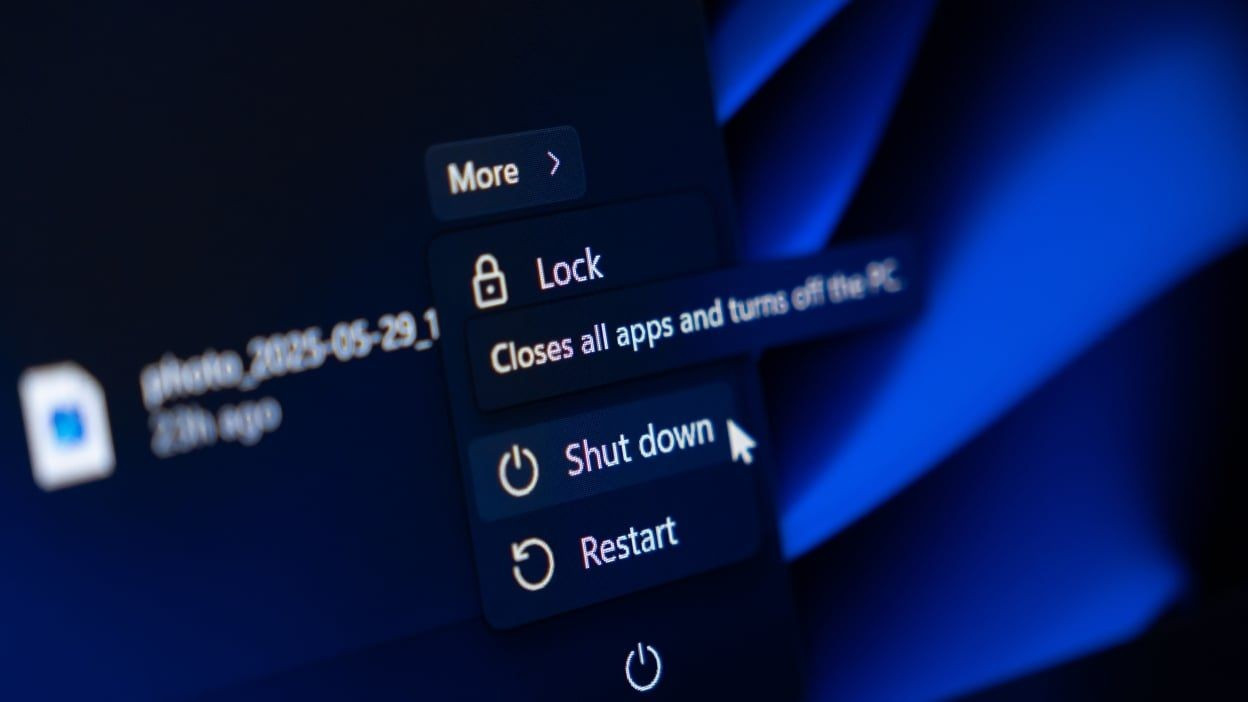
    Microsoft has officially rolled out a fix for the decade-old issue where choosing the “Update and Shut Down” option in Windows 10 and Windows 11 resulted in an unintended reboot rather than a proper shutdown. According to TechSpot the flaw, which many users chalked up to misclicks or some mysterious hardware driver behavior, has been addressed via the optional KB5067036 servicing stack update for Windows 11 (and the analogous Windows 10 servicing update streams). According to WindowsLatest the fix appears in Windows 11 25H2 Build 26200.7019 (and 24H2 Build 26100.7019) and covers the underlying servicing-stack malfunction. Another source, GHacks, confirms Microsoft’s acknowledgment of the bug, while noting that the company has yet to publish detailed root-cause diagnostics and that Windows 10 appears to be left partly unsupported for the fix. 

    Sources: TechSpot, GHacks

    Key Takeaways

    – The “Update and Shut Down” command often resulted in a restart instead of a power-off for both Windows 10 and Windows 11 users, causing productivity issues and battery drain.

    – Microsoft has issued a fix (via KB5067036 and associated builds) that corrects the servicing stack so that the shutdown command behaves as originally intended.

    – Despite the fix, Microsoft did not fully disclose the technical root cause publicly, and older versions of Windows may remain susceptible or unsupported for this specific issue.

    In-Depth

    For too many years, Windows users have been haunted by a nagging quirk: you select “Update and Shut Down,” figure you’ll walk away while your machine updates and powers off, then come back to find it restarted instead. It’s an irritant that people put up with, joked about, or assumed must be user error or some esoteric driver incompatibility. But the truth is it was a latent flaw in the servicing stack of Windows itself, affecting both Windows 10 and Windows 11. That flaw meant the system didn’t reliably honor the user-selected “shut down after update” directive, instead often performing the “update and restart” path. This could lead to wasted battery on laptops, unexpected wake-ups, and frustration for users who trusted the “Update & Shut Down” option to let them finish their day without the PC humming away.

    Microsoft has now moved to correct that. As of the optional update KB 5067036 and the rollout of Windows 11 version 25H2 builds (26200.7019) and 24H2 builds (26100.7019) the issue is addressed. The remarks from WindowsLatest show that Microsoft now acknowledges the underlying issue causing “Update & shut down” to not actually shut down your PC after updating. The fix is rolling out broadly. At least in theory, selecting “Update and Shut Down” should now genuinely power the machine off once updates finish. Importantly this speaks to Microsoft’s responsibility in the servicing-stack domain: the very software that orchestrates update installation, pre-boot servicing, offline update phases, and the subsequent shutdown sequence. Fixing such a foundational internal component doesn’t happen overnight, which may explain why the bug endured for so long.

    From a conservative vantage one might argue this is a case study in why trust in large-scale software platforms must be earned and actual user experience matters. Many users operated under a “well, that’s odd” assumption, or mistakenly believed their own actions were at fault. A software vendor that markets reliability should ensure that a basic command like “Update and Shut Down” simply works. The lack of transparency around root cause also suggests Microsoft places more emphasis on shipping hot-fixes than on publicly diagnosing legacy issues—a trade-off that some enterprise customers may view skeptically. For IT admins, this fix reinforces the need to validate update behavior rather than assume functionality simply because a front-end command exists.

    For everyday users, the experience should now improve: choose “Update & Shut Down,” walk away, let the system apply patches, and the machine actually powers off instead of re-booting. Of course, caution remains prudent: any update pipeline carries risk, and those on older Windows 10 builds or using unsupported hardware may remain vulnerable to quirky behavior. In sum, this fix closes a longstanding reliability issue, but also serves as a reminder that OS vendors must stay accountable for the fundamentals of user experience—even in the background plumbing of updates.

    Share. Facebook Twitter Pinterest LinkedIn Tumblr Email
    Previous ArticleMicrosoft AI Chief Warns Pursuing Machine Consciousness Is a Gigantic Waste of Time
    Next Article Microsoft Cuts AI Sales Targets In Wake Of Sluggish Demand

    Related Posts

    Spotify Developers Haven’t Written Code Since December Thanks to AI Transformation

    February 16, 2026

    Waymo Goes Fully Autonomous in Nashville, Tennessee

    February 16, 2026

    Roku Plans Streaming Bundles Push to Boost Profitability in 2026

    February 15, 2026

    Russia Officially Blocks WhatsApp After Telegram Crackdown

    February 15, 2026
    Add A Comment
    Leave A Reply Cancel Reply

    Editors Picks

    Spotify Developers Haven’t Written Code Since December Thanks to AI Transformation

    February 16, 2026

    Waymo Goes Fully Autonomous in Nashville, Tennessee

    February 16, 2026

    Roku Plans Streaming Bundles Push to Boost Profitability in 2026

    February 15, 2026

    Russia Officially Blocks WhatsApp After Telegram Crackdown

    February 15, 2026
    Top Reviews
    Tallwire
    Facebook X (Twitter) LinkedIn Threads Instagram RSS
    • Tech
    • Entertainment
    • Business
    • Government
    • Academia
    • Transportation
    • Legal
    • Press Kit
    © 2026 Tallwire. Optimized by ARMOUR Digital Marketing Agency.

    Type above and press Enter to search. Press Esc to cancel.